.png)













TL;DR
AI Rostering, now live on Supportly, eliminates the hours NDIS coordinators spend manually cross referencing worker availability, qualifications, SCHADS conditions, and geographic zones for every shift. The AI reads all this data simultaneously, pulled from HRM, care management, Regional Zoning, and Payroll Interpretation, and generates schedule suggestions a coordinator reviews and confirms rather than building from scratch.
It catches the three biggest manual rostering failures before they happen: availability conflicts, qualification mismatches, and SCHADS configuration errors. Paired with the AI Timesheet Analyser, it creates an AI assisted layer from scheduling through to payroll. The coordinator still makes every final call. AI Rostering just removes the grunt work of getting there.
Every rostering coordinator at an NDIS provider knows the cost of a 200-shift fortnightly roster. It means hours spent cross-referencing worker availability, compliance status, and certification expiry dates.
Add participant preferences, geographic zones, and SCHADS award conditions to that list, and a single roster can eat an entire working day. The errors that slip through this manual process rarely stay small.
A missed qualification check surfaces at the shift, not before it. A SCHADS classification error surfaces in the pay run, not in the planning stage. Each mistake costs more time to fix than it would have taken to prevent.
Supportly has built an AI rostering layer to solve this exact problem. It's live on the platform now, and it's designed around the real operational weight coordinators carry every fortnight.
Supportly's rostering foundation traces back to Vertex360, the platform's origins in NDIS-specific rostering and payroll logic. AI Rostering builds on that same groundwork rather than starting from scratch.
What AI Rostering Actually Does
AI rostering reads worker availability, qualifications, SCHADS classification, participant care plan requirements, and geographic zone data at the same time. It then generates optimised schedule suggestions.
A coordinator reviews and confirms these suggestions rather than building each shift from a blank page. The heavy calculation happens before the coordinator opens the roster, not while they're sitting in it.
The Manual Rostering Problems AI Is Built to Solve
Three failure points account for most of the rework in manual NDIS rostering. Each one is preventable, but only if it's caught before the schedule is published rather than after.
Availability conflicts are the most common. A worker gets booked for a shift that clashes with existing commitments, and nobody notices until the worker flags it, often the morning the shift starts.
Qualification mismatches follow close behind. A worker without a current First Aid certificate or the right NDIS worker screening clearance gets rostered onto a shift that requires it, and the gap surfaces at the point of service delivery rather than at the point of scheduling.
SCHADS configuration errors are the most expensive because they surface last. A broken shift, a sleepover allowance, or a consecutive shift limit under the SCHADS Award gets miscalculated at the roster stage, and the error only becomes visible when payroll runs.
Each of these problems shares one root cause: the coordinator is holding too many variables in their head at once. AI rostering checks all of them simultaneously, before a shift ever appears on the draft roster.
The knock-on effect of these errors is often underestimated. A single qualification mismatch can mean a participant's shift is cancelled at short notice, which then triggers a scramble to find a replacement worker.
A SCHADS error caught after the pay run means reissuing payslips, correcting entitlements, and explaining the discrepancy to the worker involved. None of that time gets recovered, it's simply added on top of the next roster cycle.
How AI Rostering Differs from Standard Automated Scheduling
Automated scheduling and AI rostering sound similar, but they solve different problems. Standard automated scheduling fills shifts against a fixed rule set, it applies static logic and stops there.
AI rostering goes further. It reads patterns across your specific workforce and participant base, then generates suggestions that improve as the system learns your organisation's preferences, exceptions, and recurring scheduling priorities.
Static automation treats every roster the same way, every time. AI rostering builds a working understanding of how your service actually operates, which workers prefer which participants, which zones create travel friction, and which exceptions come up often enough to plan for.
That distinction matters for NDIS providers specifically. Disability support scheduling carries more variables than most industries, and a rule-based system can only account for the variables someone thought to programme in advance.
An AI system, by contrast, keeps adjusting as new patterns emerge. If a particular worker consistently performs better with a specific participant group, that pattern gets factored into future suggestions without anyone needing to manually update a rule.
How Supportly's AI Rostering Connects to the Existing Platform
AI Rostering in Supportly doesn't operate as a standalone tool bolted onto the platform. It's built to read directly from the modules that already hold your operational data.
Worker profiles and compliance status come from the HRM module. Participant care plans come from care management. Geographic zones come from Regional Zoning, and SCHADS classification comes from Payroll Interpretation.
This matters because it changes what a coordinator is reviewing. The AI suggestion that appears on screen has already been compliance-assessed, zone-matched, and qualification-verified before the coordinator sees it.
Compare that to a rostering process where compliance checking happens as a separate manual step. In Supportly's connected model, that check has already occurred by the time the suggestion reaches the roster draft.
This is the same architecture that powers Supportly's rostering feature set, AI Rostering extends it rather than replacing it. The modules already talk to each other; AI Rostering adds the layer that reads across all of them at once.
For providers running multiple regions or service types, this connected structure reduces the chance of a suggestion being technically compliant in one module but out of step with another. One source of data means fewer conflicting answers.
The Coordinator's Workflow; Before and After
Before AI Rostering, a coordinator opens a blank week and starts from zero. Every shift gets built manually: check availability, check qualifications, check the SCHADS classification, check the zone, then assign the worker.
That process repeats up to 200 times for a single fortnightly roster. Multiply the checking time by the shift count, and the hours add up fast, before any errors are factored in.
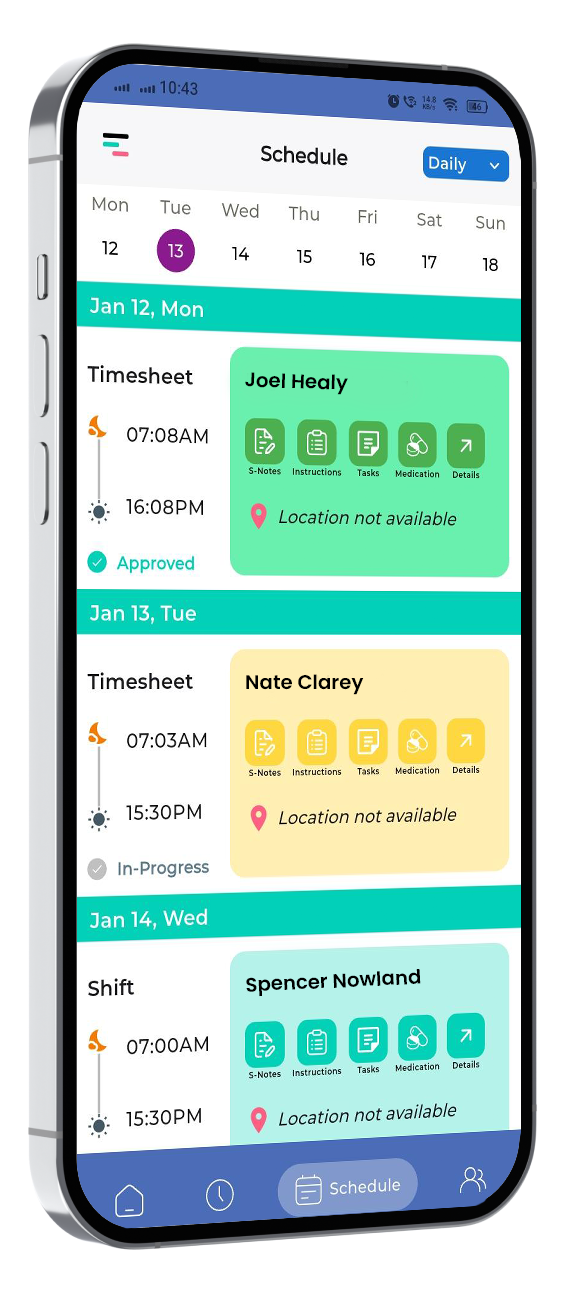
With AI Rostering, the coordinator opens a schedule that's already populated with suggestions. The heavy cross-referencing has been done by the system, using data drawn from HRM, care management, Regional Zoning, and Payroll Interpretation.
The coordinator's job shifts from building to reviewing. They check each AI suggestion against their own operational knowledge, adjust the exceptions that need a human decision, and publish the roster.
This is a genuine shift in what the coordinator's time is spent on. Less of it goes to manual cross-referencing, and more of it goes to the judgement calls that actually need a person.
Over a full year, that difference compounds. Coordinators managing multiple sites or a growing worker base often find that rostering hours scale faster than participant numbers, AI Rostering is designed to break that pattern.
What AI Rostering Does Not Replace
AI Rostering is a suggestion engine, not a decision-maker. It's worth stating plainly, because the value of the feature depends on getting this distinction right.
It doesn't replace the coordinator's professional judgement on complex exceptions, a participant who's had a difficult week, a worker who needs a lighter load, a last-minute change that no data field captures.
It also doesn't replace the relationship knowledge a coordinator builds over time. Some participant preferences never make it into structured data, and a good coordinator knows this without being told.
Finally, it doesn't replace the final decision on every published roster. The AI suggests. The coordinator approves. That order stays fixed regardless of how sophisticated the suggestion engine becomes.
AI Rostering and the AI Timesheet Analyser: The End-to-End AI Layer
AI Rostering doesn't work in isolation from Supportly's other AI capability. The AI Timesheet Analyser picks up where AI Rostering leaves off.
AI Rostering generates the schedule at the front of the process. The AI Timesheet Analyser then verifies the timesheet data generated from that schedule, before it reaches the pay run.
Together, these two features create an AI-assisted layer that runs from scheduling through to payroll. Errors get caught at the point of roster creation and again at the point of timesheet verification, two checkpoints instead of one.
For a provider running SCHADS-governed rosters at scale, that double-checkpoint model is where the real time saving shows up. Fewer errors reach payroll, which means fewer corrections after the pay run has already been processed.
Providers who already use Supportly's rostering and payroll interpretation tools are well placed to adopt AI Rostering with minimal setup, since the underlying data structure is already in place.

Ready to Cut Your Rostering Hours?
Picture your next fortnightly roster taking a fraction of the time because the availability checks, qualification matches, and SCHADS calculations are already done before you open the screen.
Want to see the full toolset first? Explore how AI Rostering fits alongside Supportly's rostering, HRM, and payroll features before you dive in.
Explore the Complete Rostering Feature Set
Book a Demo to see how it works
Frequently Asked Questions
Is Supportly's AI Rostering available now?
Yes. AI Rostering is live on the Supportly platform. Providers can start using it today to generate schedule suggestions across their existing worker and participant data.
Can coordinators override AI rostering suggestions?
Yes. Every AI suggestion is reviewed by the coordinator before publishing, and any suggestion can be adjusted or overridden based on operational knowledge the system doesn't hold.
How does AI Rostering handle complex SCHADS scenarios, such as broken shift allowances and consecutive shift limits?
AI Rostering reads SCHADS classification directly from the Payroll Interpretation module, including broken shift allowances and consecutive shift limits, and factors these into its suggestions before a coordinator sees the draft roster.
Does AI Rostering work for group shifts and split shifts?
AI Rostering accounts for group shifts and split shifts alongside standard one-to-one shifts, reading the same availability, qualification, and zone data across all shift types.
How does the system improve with use?
AI Rostering learns from the patterns in your workforce and participant base over time, refining its suggestions as it observes which exceptions, preferences, and adjustments your organisation makes most often.