.png)









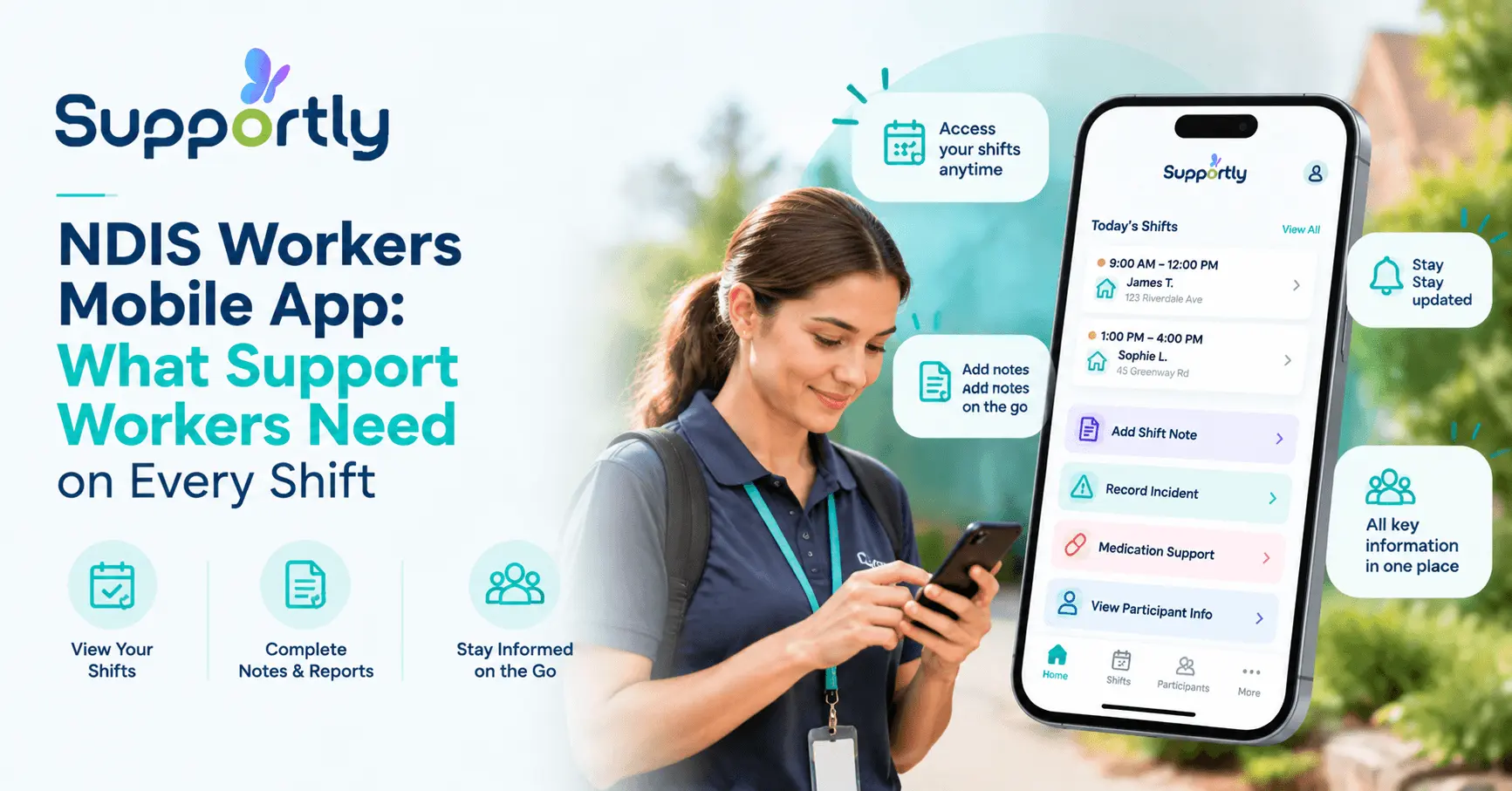
A support worker arrives at a participant's home for a first shift. The care plan sits on a desktop back at the office. There's no way to check dietary needs, behaviour support strategies, or today's scheduled tasks from the front step.
The shift finishes. The worker drives to another appointment, then another. By the time they're back near a computer, three shifts' worth of notes are a blur of half-remembered details.
An incident happens mid-shift. The only option is a paper form, filled in from memory hours later, missing details that mattered in the moment.
This is daily life for support workers without the right tools. It's also exactly what a properly built NDIS workers mobile app is designed to fix.
This page covers what that app needs to do, how Supportly's mobile app handles it in practice, and what happens when a shift runs offline. If you're an operations manager or IT lead trying to work out whether a mobile app for support workers is worth the investment, you'll have your answer by the end.
What an NDIS Workers Mobile App Must Do
An NDIS workers mobile app gives support workers everything they need from their phone during a shift. That means viewing current care plans, clocking in and out at the right location, writing shift notes on-site, reporting incidents immediately, and accessing participant records without a desktop.
Updates need to sync to the office in real time, not at the end of the day. Anything less leaves gaps in compliance records and slows down coordination.

What Support Workers Actually Need on a Shift
Picture a typical day. A support worker has four shifts booked across three suburbs, each with a different participant and different support needs.
Before walking in the door, they need the current care plan. Not last month's version. The current one, with any recent updates from allied health or the coordination team.
During the shift, they need their scheduled tasks visible and clear. Medication reminders, meal preparation notes, behaviour support strategies, all specific to that participant, that day.
Clocking in and out needs to happen from wherever the shift actually takes place. A worker shouldn't need to find a computer just to log their hours.
Writing shift notes should happen while details are fresh. Typing a quick note on the way out the door beats trying to reconstruct the shift from memory that evening.
Reporting an incident can't wait. If something happens, a fall, a behaviour escalation, a missed medication, the worker needs to log it immediately, from the location it happened.
Every one of these tasks currently happens on paper, or not at all, for providers without a mobile app built around the worker's actual day.
How Supportly's Workers Mobile App Works
Supportly's mobile app is built around the shift itself, not around what's convenient for back-office systems.
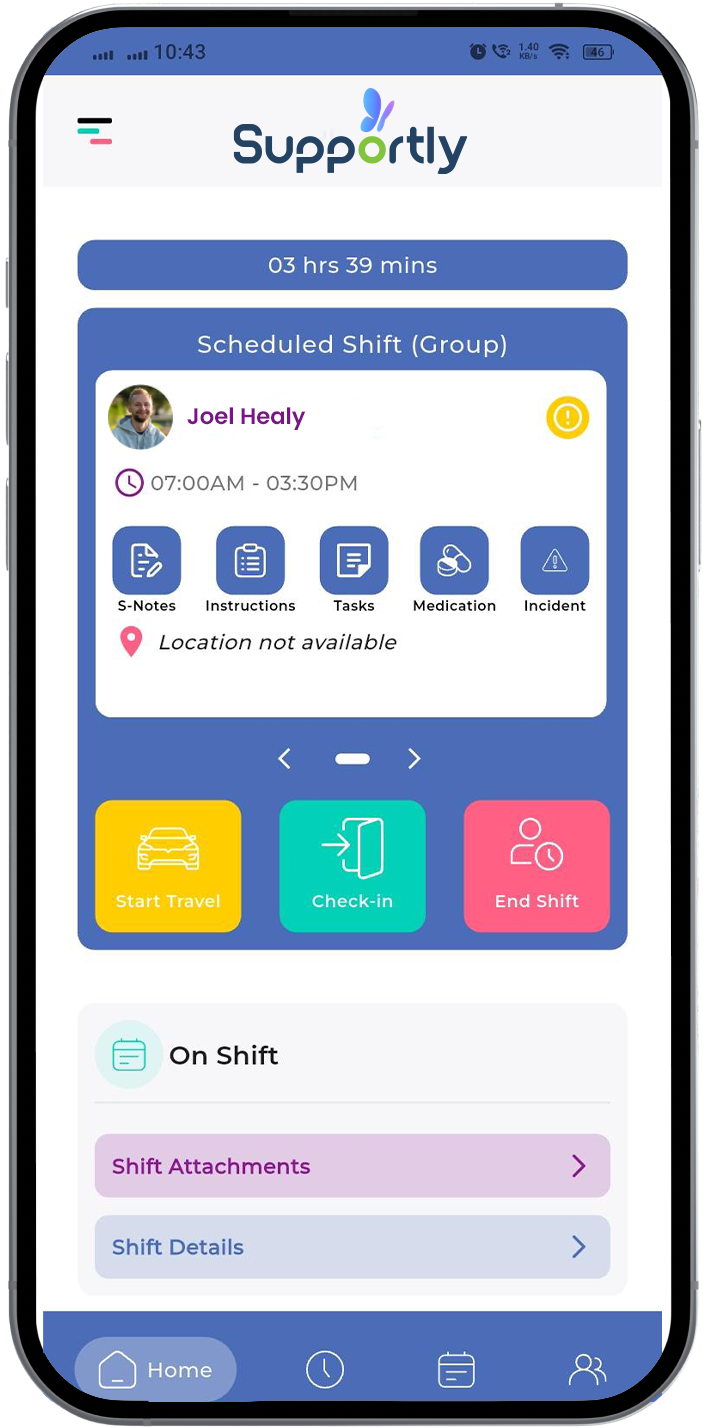
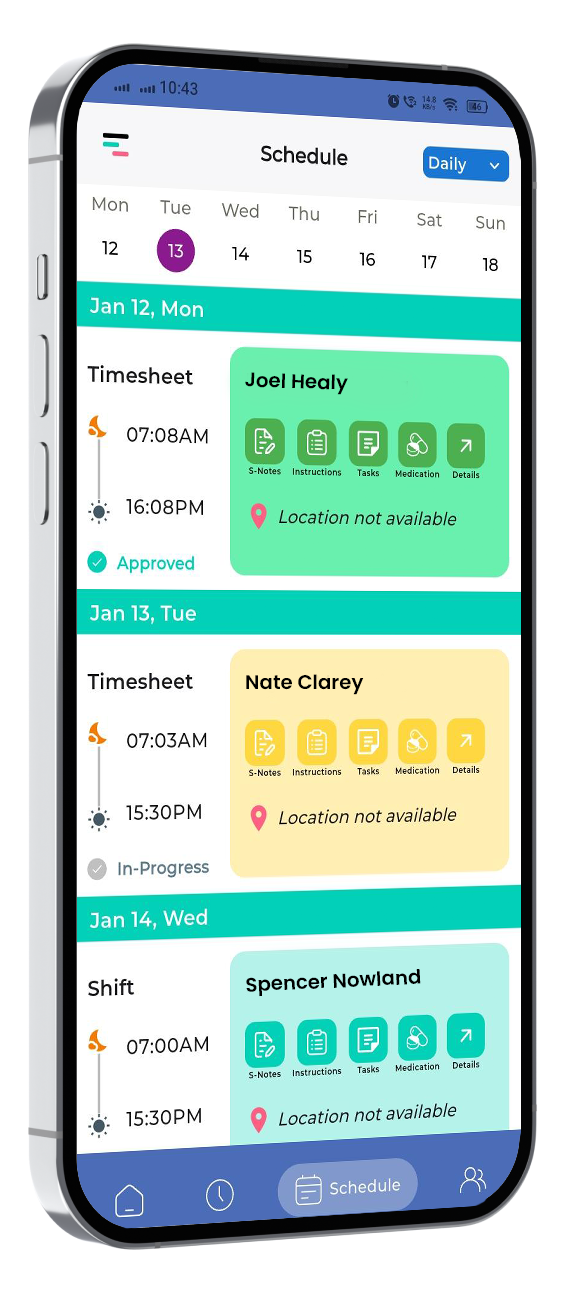
Shift access. Workers see their full schedule for the day or week, with participant names, addresses, and shift times laid out clearly. No calling the office to check what's next.
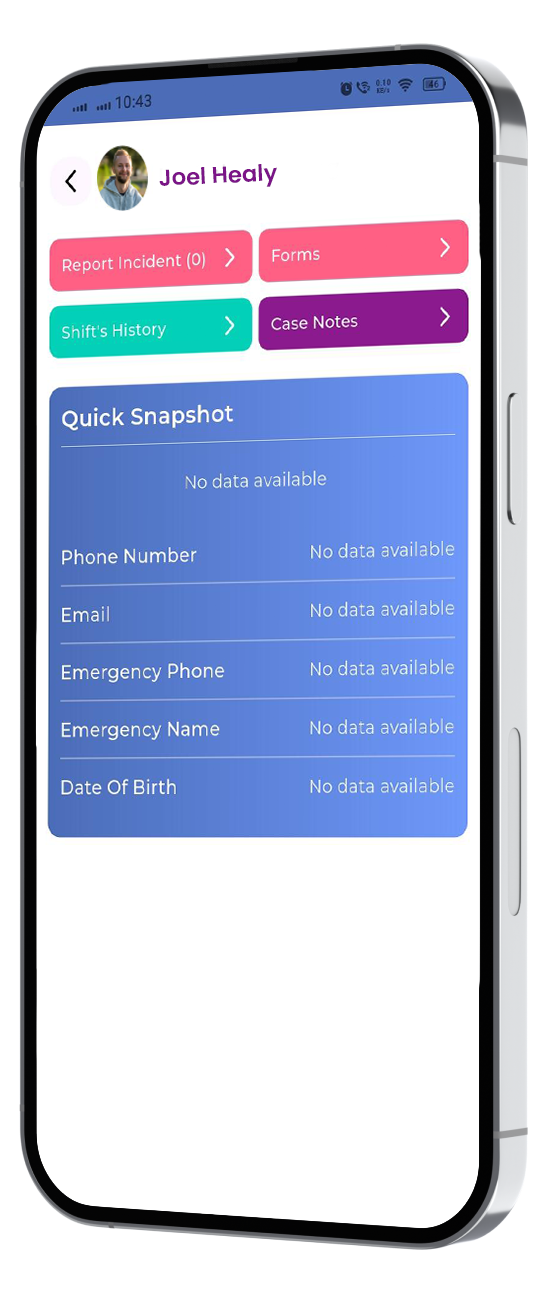
Participant records, on the spot. Before or during a shift, workers can pull up the current care plan, support needs, and any relevant notes from previous visits. Everything stays current because it syncs from the same system the coordination team uses.
Shift notes that take seconds. Workers log notes directly in the app during or right after a shift. Structured fields mean notes stay consistent across the whole team, not dependent on individual writing style.
Clock in and out from the field. Location-based clock-in confirms the worker is where they're supposed to be, at the time they're supposed to be there. Hours flow straight into payroll and billing without manual entry.
Incident reporting from anywhere. A worker can log an incident the moment it happens, add photos if relevant, and flag urgency. The coordination team gets notified straight away, not the next morning.
Shift-end questions. A short set of prompts at the end of each shift catches anything a worker might not think to report unprompted, changes in mood, missed tasks, follow-up needed.
The Office Side: How Field Updates Reach the Coordination Team in Real Time
This is where the mobile app earns its keep for operations managers, not just support workers.
A worker submits a shift note from the participant's home. That note appears in the coordination dashboard within moments, not at the end of the day.
If an incident gets logged, the relevant coordinator or manager receives an alert immediately. There's no waiting for a paper form to reach the office.
Compliance records update automatically as shift data comes in. Clock-in and clock-out times, shift notes, and incident reports all feed into the same audit trail the provider needs for NDIS Quality and Safeguards Commission requirements.
This closes the gap between what happens in the field and what the office actually knows. For a provider managing dozens or hundreds of shifts a week, that gap is where compliance risk and missed follow-up usually live.
What Happens When the App Doesn't Work in the Field
Connectivity is the first question most operations managers ask, and it's a fair one. Regional visits, apartment blocks with poor reception, and rural service areas are common realities for NDIS providers.
Supportly's mobile app is built to keep working when the signal drops. Workers can still view care plans they've previously accessed, write shift notes, clock in and out, and log incidents while offline.
Once the device reconnects, everything queued during the shift syncs automatically. Nothing gets lost, and nothing needs to be re-entered.
This matters for providers covering outer-metro and regional areas, where a mobile app that only works on strong wifi isn't a mobile app at all, it's a desktop app with extra steps.
Why This Matters for Operations Managers, Not Just Workers
A mobile app that support workers actually use solves a problem most providers underestimate: adoption. Software that adds friction to a shift gets ignored, worked around, or filled in incorrectly.
Supportly's app is built from the worker's shift outward, which is why it gets used consistently. Consistent use means consistent data, accurate shift notes, complete incident records, and clock-in data that matches actual hours worked.
That consistency flows directly into what operations and compliance teams need: audit-ready records, accurate payroll and billing, and early visibility into incidents before they become bigger problems.
Providers switching from paper-based or desktop-only systems typically see faster shift note completion, fewer missed clock-ins, and quicker incident response times within the first few weeks.
Getting Started with Supportly
Rolling out a new app across a support worker team doesn't need to be a drawn-out project. Supportly's onboarding walks new users through the core functions like schedule, notes, clock-in, incidents in a single short session.
Most workers are comfortable using the app within their first two or three shifts. The interface mirrors the actions workers already take during a shift, so there's little new behaviour to learn.
For operations managers, the setup process connects directly to your existing participant records and rostering, so there's no duplicate data entry required before go-live.

See It on a Real Shift
Reading about a mobile app and watching it run during an actual shift are different things. Book a demo and we'll walk through shift notes, clock-in, incident reporting, and offline mode using a scenario that matches how your team actually works.
See the Supportly Worker App — Book a Demo
Frequently Asked Questions
Is Supportly's mobile app available on iOS and Android?
Yes. Supportly's workers mobile app is available for both iOS and Android devices, so providers don't need to standardise on a single phone brand across their support worker team.
Does the app work without internet access?
Yes. Workers can view previously accessed care plans, write shift notes, clock in and out, and log incidents while offline. Everything syncs automatically once the device reconnects to the internet.
Do support workers need training to use the app?
Most workers become comfortable with the core functions like schedule, shift notes, clock-in, and incident reporting within their first two to three shifts. Supportly provides a short onboarding session to speed this up.
What does the Supportly mobile app cost?
Pricing depends on your provider size and the modules you need alongside the mobile app. Book a demo for a quote based on your team size and current systems.
Can support workers access participant records for shifts they're not currently rostered on?
No. Supportly's mobile app only shows participant records and care plans for shifts a worker is currently rostered to. This keeps access aligned with NDIS privacy requirements and ensures workers only see the information relevant to their own shifts.